






2. In the "Databases" section, click on "SQL Databae" Icon.

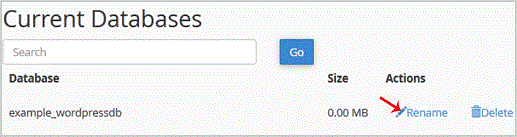
3. Under "Current Databases", You can see list of your all databases. Locate the Database and then click on "Rename" Icon.
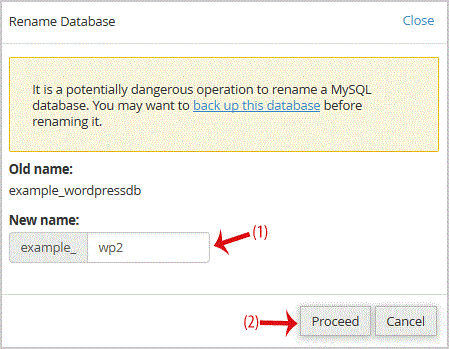
. Change database name and then click on "Proceed" babies.
0 用戶發現這個有用 (0 投票)
熱門文章